I ran into an issue today where I had PC struggling with Network connectivity. It is an HP Z230 PC. The first thing that Needed to be done was downloading the tool HP Image Assistant – click link to install. Next click the latest Softpaq Exe link. The latest one now is sp90199.exe. Launch the installer by double-clickinging sp90199,exe that I downloded,
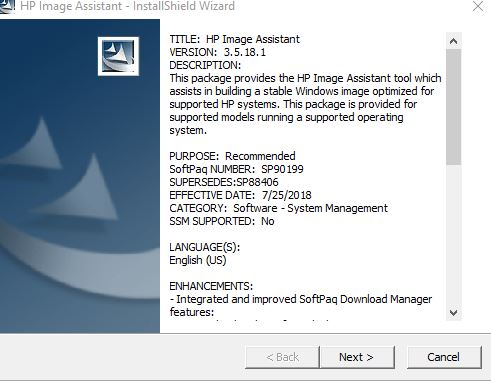
Click Next
Accept the license agreement, click next
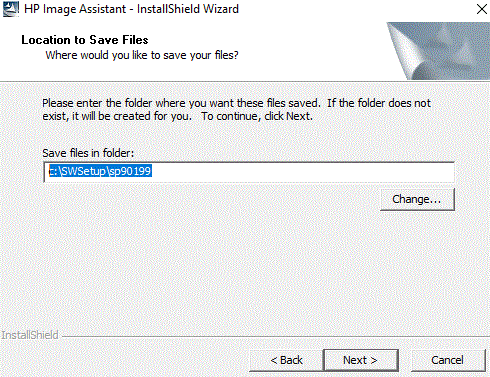
Install in default folder: c:\SWSetup\sp90199, click Next
Files are extracted and the image tool starts.
- Choose Target Image
- Choose Reference Image
- Start Analysis/Compare (click on Analyze)

On the Summary Tab you sill see Bios and Firmware and Drivers and Software that need to be updated. Select the Recommendations Tab.
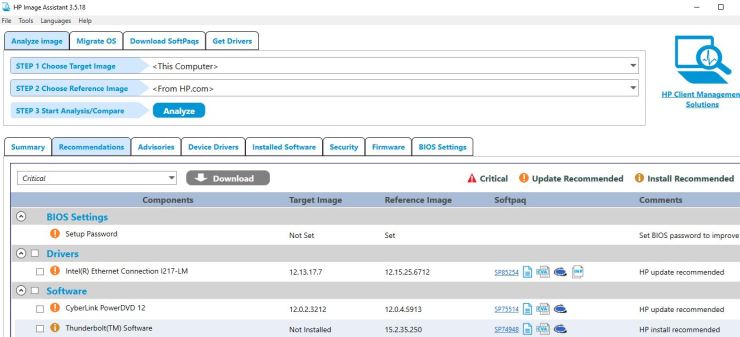
Change the selection box next to Download and check all at the top
Click the Download selection to the right – choose download Softpaq(s),extract files and install – Click Start

Next the computer will need to restart several times to complete\
Once it’s finished browse to c:\SWSetup\sp90199\ and launch the file HPImageAssistant.exe
click Analyze Again to verify that everything installed properly
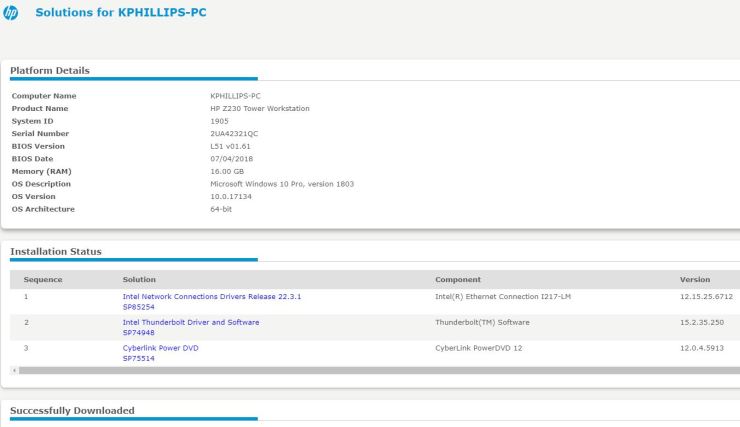
Once finished you will get a summary of events
 INTUITIVE TECHNOLOGIES