You can easily create a shared mailbox in Office and use its calendar
You do this from the Microsoft 365 Admin Center, open Groups and Shared Mailboxes, click Add a mailbox.
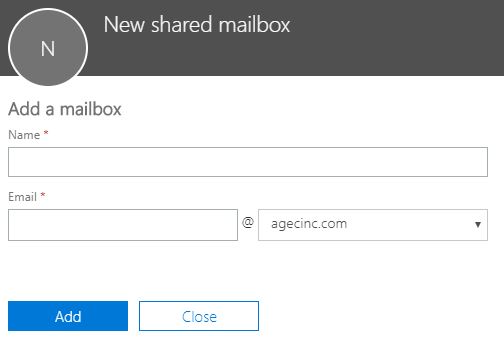
Add a Name for the mailbox and it will automatically populate the email address, you can modify it as necessary.
Once you have done that to set rights to review and to edit you need to to that from the powershell
Here are the steps:
- Open Powershell on your local PC or server
- Run set-ExecutionPolicy remotesigned – type Y to change the execution policy
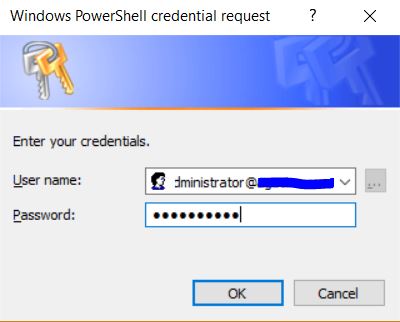
- Run $LiveCred = Get-Credential — You will be prompted for the global administrators email address and password Enter then and click OK
- run $Session = New-PSSession -ConfigurationName Microsoft.Exchange -ConnectionUri https://ps.outlook.com/powershell/ -Credential $LiveCred -Authentication Basic -AllowRedirection — If successful you will see the following message: WARNING: Your connection has been redirected to the following URI: “https://ps.outlook.com/PowerShell-LiveID?PSVersion=5.1.17134.228 “
- run Import-PSSession $Session
- Now you can run commands to see the permissions: run Get-MailboxFolderPermission -identity rockfacedslopes@climb.com:\Calendar
- To give rights as an editor run the following command: Add-MailboxFolderPermission -Identity shared calendar email address:\Calendar -User user with editor rights email-AccessRights editor — ie Add-MailboxFolderPermission -Identity RockFacedSlopes@climb.com:\Calendar -User traci@climb.com -AccessRights editor
- To give rights as a reviewer run the same command but at the end replace editor with reviewer. i.e Add-MailboxFolderPermission -Identity RockFacedSlopes@climb.com:\Calendar -User george@climb.com -AccessRights reviewer
- Valid roles to assign are: Author, Contributor, Editor, None, NonEditingAuthor, Owner, PublishingEditor, PublishingAuthor, and Reviewer.
- Once you are done changing rights check again by running the command: Get-MailboxFolderPermission -identity rockfacedslopes@climb.com:\Calendar
For the full command descriptions click this link
 INTUITIVE TECHNOLOGIES