When converting Word or Excel Documents to PDF by default it opens the saved document in Adobe Reader or Acrobat.To change this behaving you need to unselect View results when Saving as PDF.This can be set permanently by opening the Acrobat Menu in the toolbar ribbon and selecting Preferences and unchecking it here. Check it to re-enable it
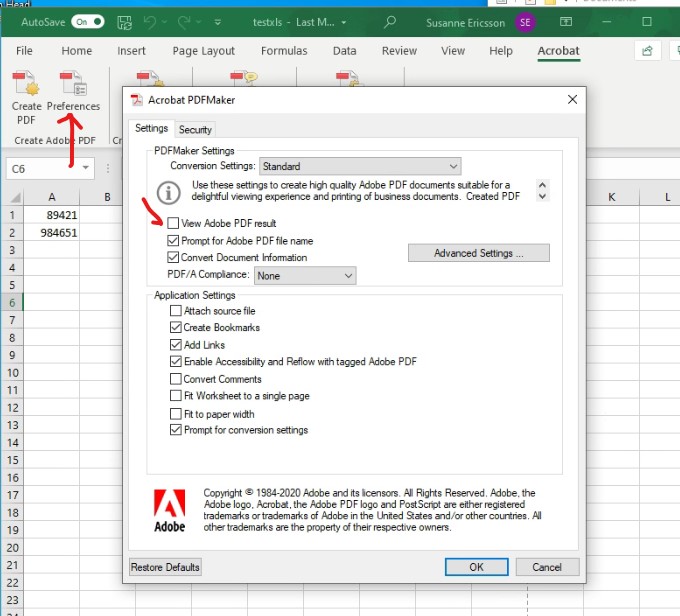
There’s a similar Acrobat menu in Word
 INTUITIVE TECHNOLOGIES